Discourse-Flow
Discourse Flow
Secure Content-Driven Platform with Nested Discussions
Discourse Flow is a full featured content management system, designed for personal storytelling. It focuses on robust authorization logic, dynamic media handling, and an interactive commenting system to showcase clean full-stack development patterns.
Key Technical Features
- Authorization : Implemented custom
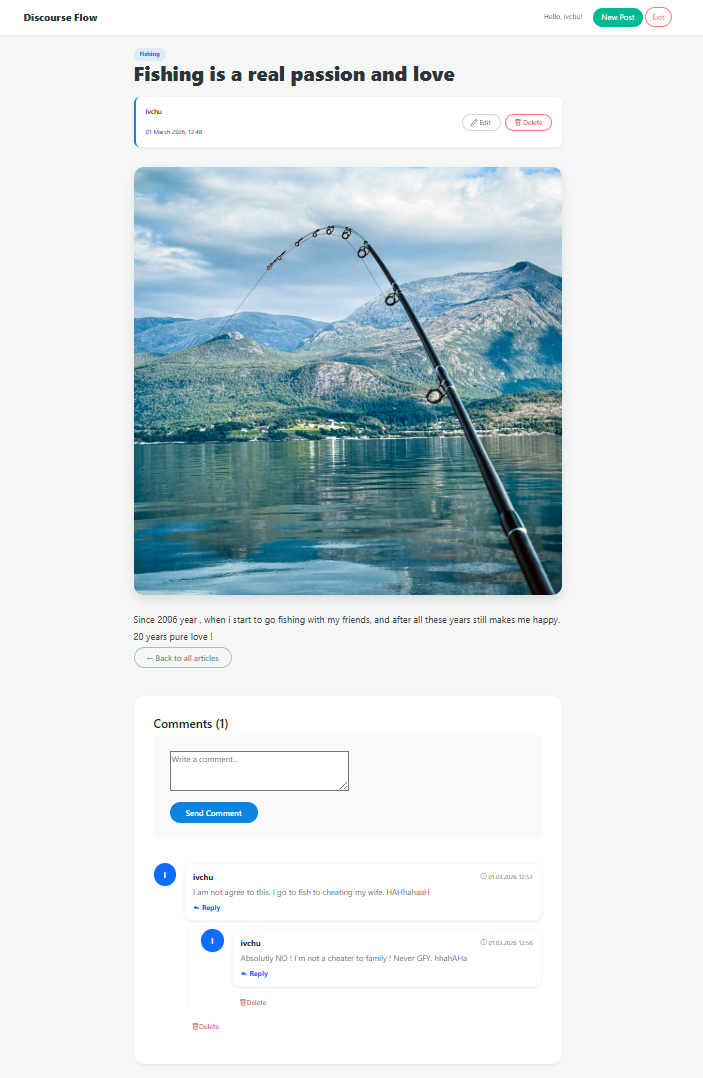
LoginRequiredMixinandUserPassesTestMixinto ensure strict object-level permissions, allowing only authors to manage their own content. - Commenting System : Built a hierarchical discussion engine that supports nested replies, enhancing user engagement.
- Automated Media Management : Integrated dynamic image handling for blog posts with automated cleanup and storage patterns.
- Responsive Architecture : Crafted a sleek, card-based UI using Bootstrap 5, focusing on modular CSS for maintainability and scalability.
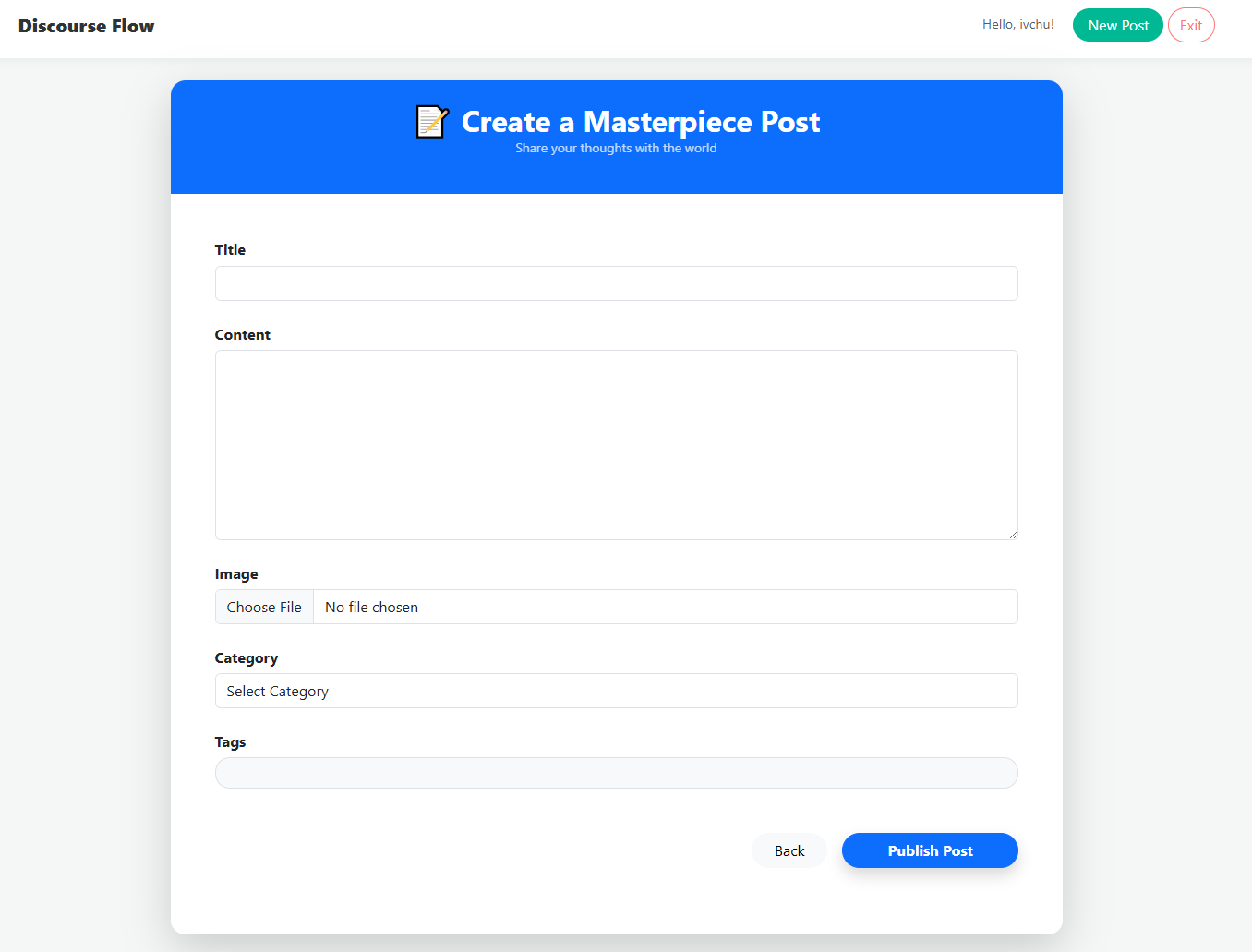
- CRUD Logic : Full lifecycle management for blog entries, from draft creation to secure deletion.
Preview
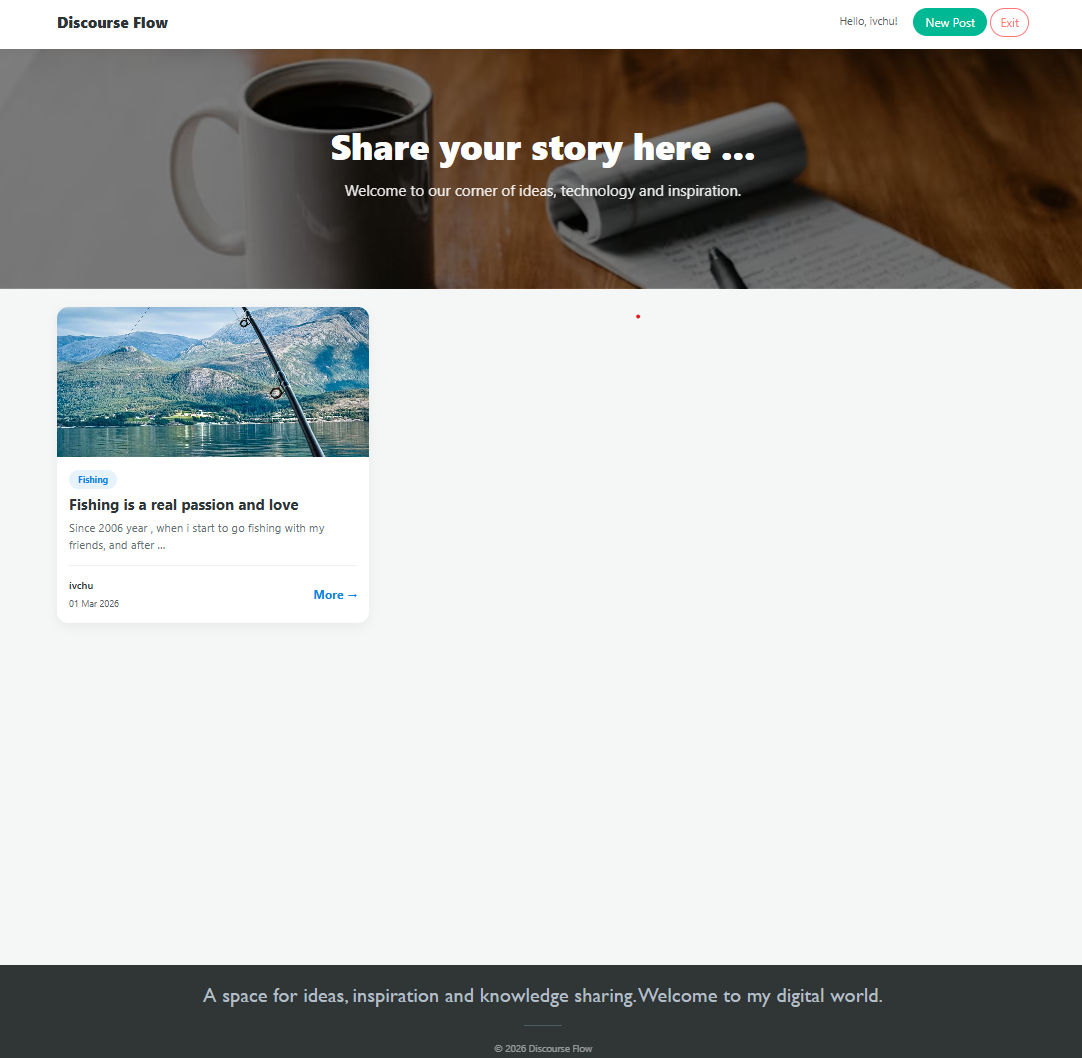
Home Page
Discussion System (Nested Replies)
Post Creation & Management (CRUD)
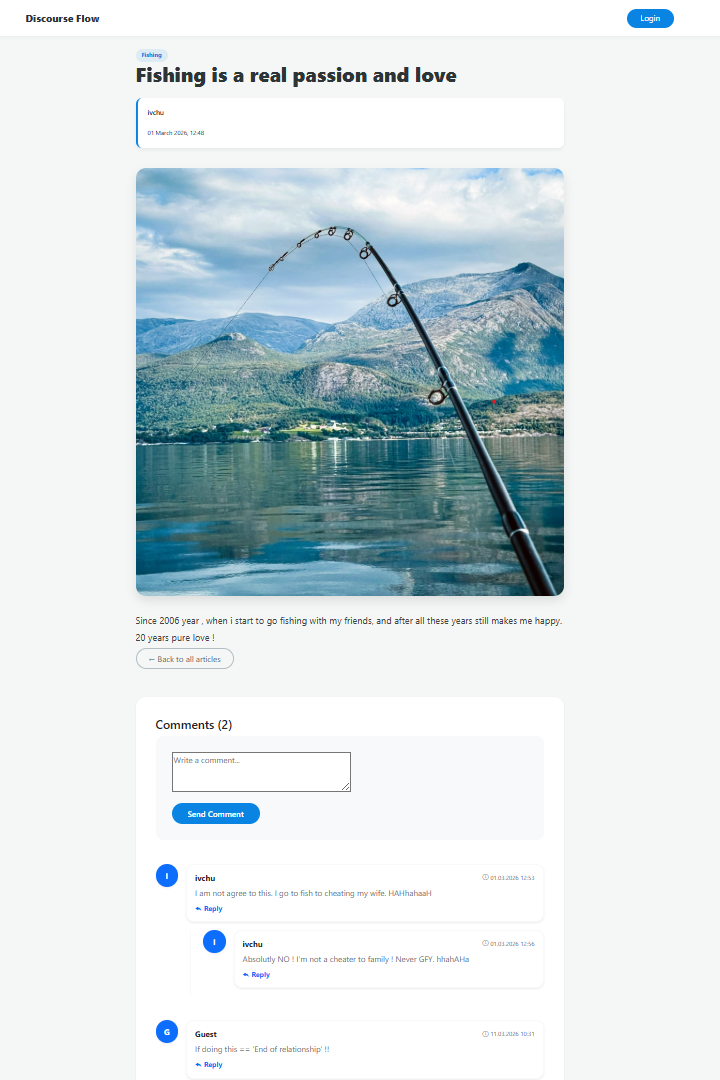
Guest Mode ( Not Registered Users )
Tech Stack
- Backend : Python, Django
- Frontend : HTML, Custom CSS, JavaScript (ES6+), Bootstrap 5
- Database : SQLite ( for Development) / PostgreSQL ( Ready )
- Authentication : Django Built-in Auth System
What I Learned
- Mixins and Reusabilit : Used Django Mixins to reduce code duplication in Class-Based Views.
- Media Handling : Managing the lifecycle of user-uploaded files and media root configurations.
- Relational Mapping : Designing complex self-referencing relationships for the commenting system.
Instructions to setup
- Clone or download the repository :
- ```bash
- git clone https://github.com/Ivailo-Iliev-89/Discourse-Flow.git
- Create a .env file and populate it with your DB credentials (see settings.py for required keys)
- pip install -r requirements.txt
- python manage.py makemigrations
- python manage.py migrate
- python manage.py createsuperuser
- python manage.py runserver
Usage
- Content : Log in to access the author dashboard where you can create, edit, or delete your blog posts.
- Media Handling : Upload featured images for your articles to make them more engaging.
- Discussion : Leave comments on posts or reply to existing comments to engage with other readers.
- Permissions : Try to edit a post that isn’t yours — the built-in security mixins will ensure data integrity and block unauthorized access.
Future Improvements
- Text Editor Integration : Integrating
django-ckeditororTinyMCEto allow users to format post content with bold text, links, and embedded images directly from the UI. - Search Functionality : Implementing a full-text search engine (using Django’s
Qobjects or PostgreSQLSearchVector) to help users find posts by keywords. - Social Authentication : Adding
django-allauthto allow users to sign in using their Google or GitHub accounts. - Post Categories and Tags : Developing a taxonomy system to organize content better and improve SEO.